
Cloud-Based AI vs On-Premise AI: Which Is Right for Your Business?
Discover the benefits and drawbacks of cloud vs on-premise AI, comparing performance, cost, security, scalability, and other characteristics.

Cloud vs on-premise AI is a common dilemma enterprises face when building AI capabilities. And it comes with real, high-stakes challenges. Unpredictable OPEX from rising cloud bills, strict compliance and data-residency rules such as GDPR or HIPAA, and growing concerns about latency, model privacy, and long-term control make the final decision even more complicated.
This article simplifies your choice. We’ll explore the trade-offs and benefits of cloud vs on premise AI and compare how each model performs when reliability, cost efficiency, and compliance are on the line. By the end of this post, you’ll have a practical framework to decide which AI deployment approach is best for your enterprise.
What Is Cloud AI and Why Do Companies Choose It?
Before comparing cloud-based vs on-premise AI, let’s start with the basics. What is cloud AI?
Cloud AI is when AI models and apps are hosted and executed through private or public cloud providers, such as AWS, Azure, or GCP.
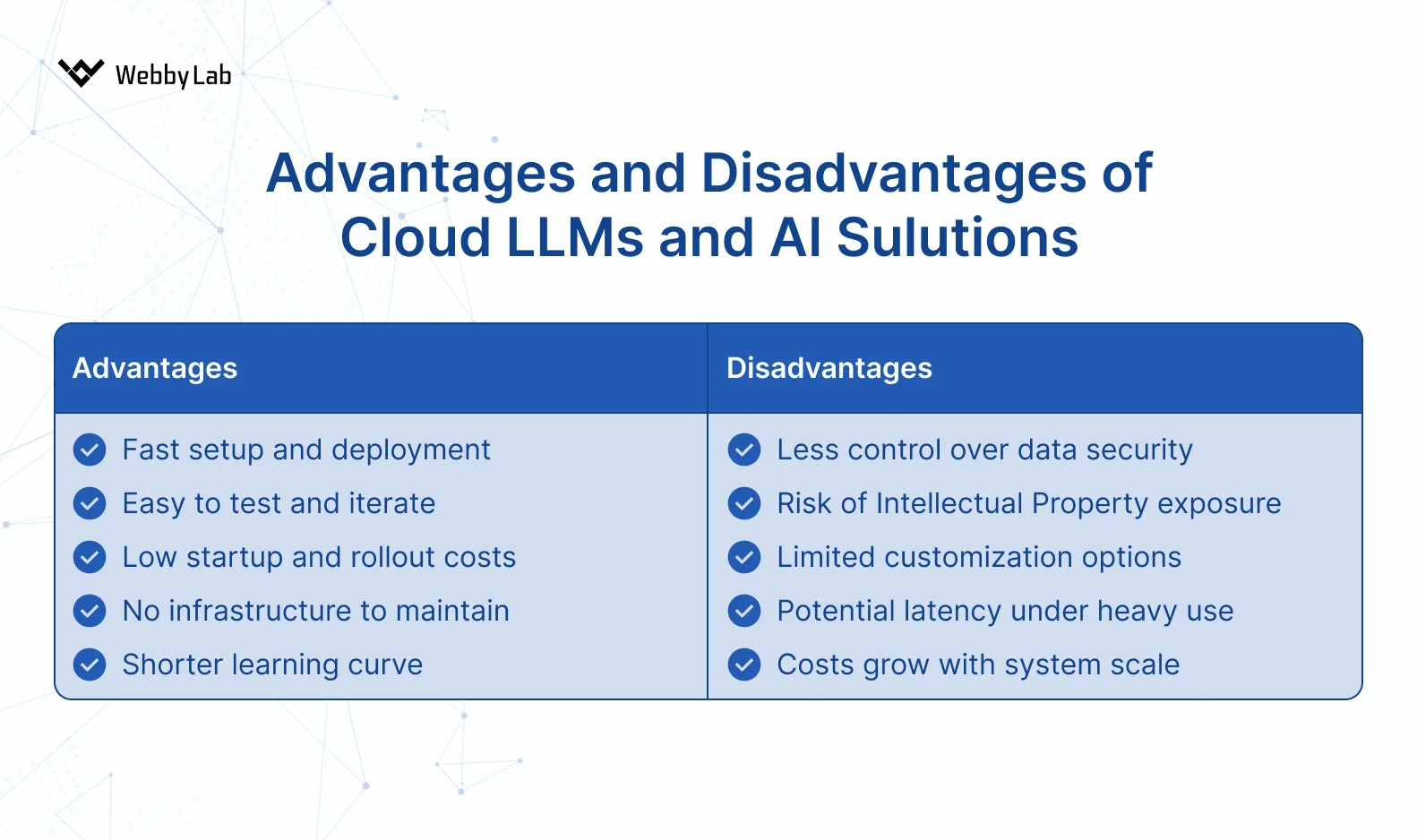
Pros and cons of cloud AI
Let’s now explore the key characteristics of this approach:
Security
Cloud AI is secure in many ways, but it comes with certain risks.
Data leakage risks are objectively higher than in on-prem setups, simply because you’re exposing your data to a third party. Most major providers have SOC 2, ISO 27001, and GDPR compliance, but you still delegate control, which creates risks on both your side (integration issues) and the provider’s.
In our cloud projects, we always add layers of control: audit logs of model requests, traffic anomaly monitoring, and strict data governance rules.
Data residency matters too. In cloud environments, we document exactly which region stores the data and which region handles inference.
On the positive side, secrets management is typically easier. Providers like AWS offer built-in IAM and role-based access, which we used when developing agents on AWS Bedrock.
Performance
Cloud AI usually delivers decent performance, but latency will never be zero. Realistically, you’re looking at 50–100 ms minimum, and often more depending on region selection and network complexity.
We typically keep latency in the 80–120 ms range when running inference in the same region as the application. Sometimes, though, choosing a cheaper region is more rational, even if it slightly increases latency.
Cost
Cloud is almost always the smarter choice for early-stage products or MVPs. You pay for what you use, avoiding upfront GPU purchases and infrastructure setup.
In practice, we often see cloud-based MVPs being 5–10 times cheaper than deploying an in-house model. GPU hosting, DevOps maintenance, and meeting SLAs add up extremely fast when running on your own hardware.
Scalability
Cloud scalability is automatic and nearly effortless, which is one of its biggest selling points. However, if you don’t set limits carefully, overprovisioning or aggressive auto-scaling can result in massive, unexpected bills.
Want to set up automation properly? Check out our post on how AI and IoT work together to enable smarter automation
Read moreFlexibility
Cloud AI is very flexible when it comes to swapping models. Often, it’s just a matter of changing a config value and running tests, no infrastructure changes required. We normally build an abstraction layer so we can switch between Claude, GPT, Gemini, or others without touching the application architecture.
But there is a downside: you can’t lock model versions or guarantee long-term availability. AI cloud providers deprecate models, upgrade them silently, and change performance characteristics. That’s the tension behind why cloud vs on premise remains such a debated choice.

Model Selection
Cloud providers offer the widest selection of models, with the latest and most capable versions available. Release cycles are fast, which is both exciting and overwhelming.

Timeline of major LLM releases, 2023–2025
However, fine-tuning options are still somewhat limited. Cloud “fine-tuning” often means adjusting the model through APIs, not retraining it deeply on your own hardware.
Not sure which option suits your AI strategy best? Explore our post on the top cloud platforms for AI and IoT projects.
What Is On-Premise AI and When Does It Win?
Let’s continue comparing on-premise vs. cloud by figuring out what on-prem actually means in the AI context.
On-premise AI is when AI models and apps run on internal servers, local data centers, or a fully isolated private infrastructure.
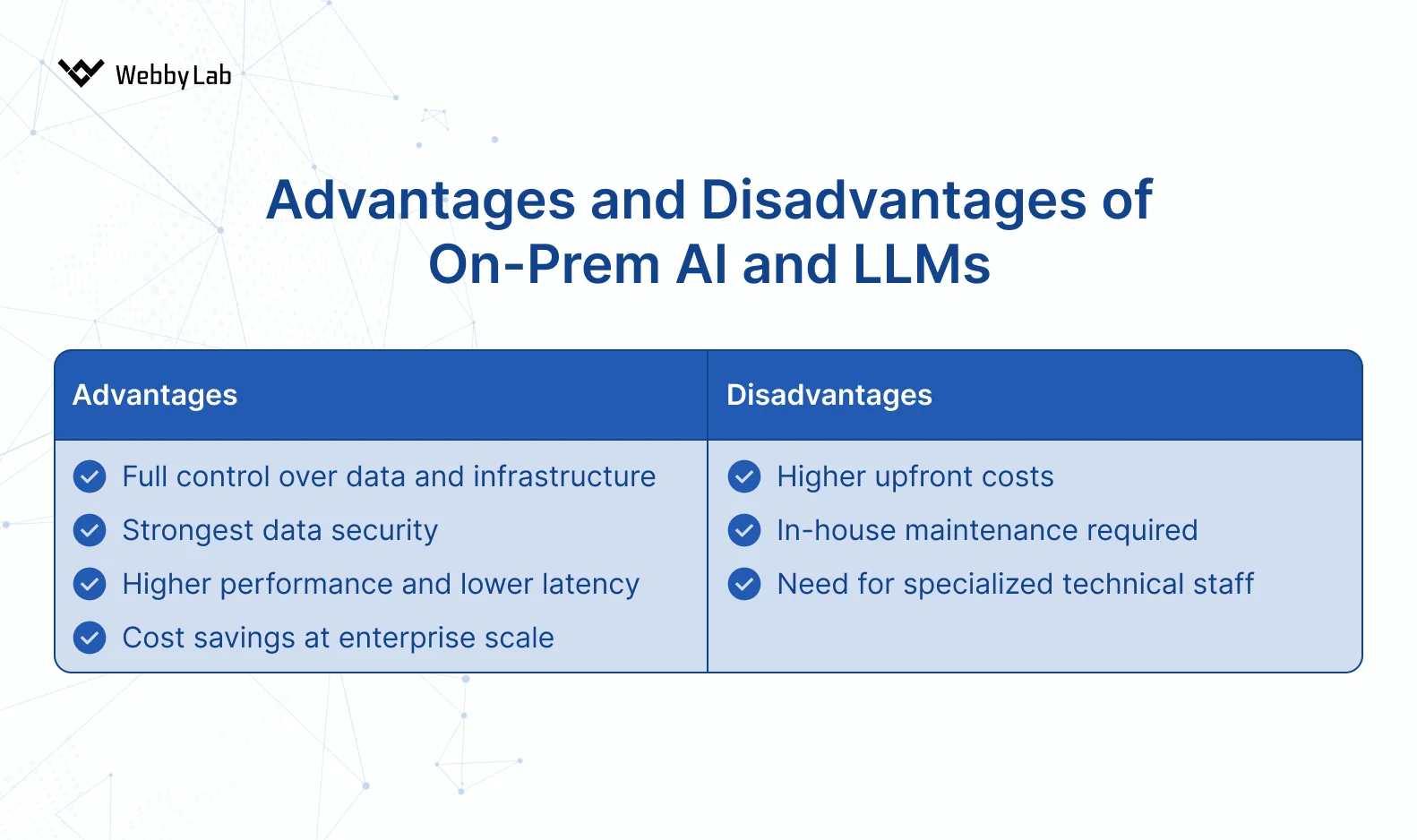
Pros and cons of on-premise AI
Here are the core peculiarities of this deployment approach:
Security
Security is where on-premise wins. You get full control over data, access rules, governance, and security policies. No third-party involvement. But this comes with a catch: your engineering and IT teams need stronger cybersecurity skills than they would need in the cloud.
On-prem is also a win for companies with strict data-residency requirements. If you need physical evidence of where data is stored, or if your policy requires absolute isolation, the cloud can’t match this.
Backups are a sore topic in on-prem setups. You’re responsible for keeping redundant copies of models and data, meaning additional cost for server capacity, storage, and a dedicated team to maintain all that.
The same goes for secrets management. You must implement your own vaulting, rotation, and auditing mechanism.
Performance
On-premise systems deliver the lowest possible latency for local apps, like enterprise IoT solutions. There are no internet issues, no cross-region routing. The ability to use it for real-time workloads is one of the reasons why on premise is better than cloud.
Cost
Cost is a mixed story.
Cloud costs scale with usage, while on-premise generates constant operational costs regardless of how much you use the system. You pay for electricity, space, hardware, and DevOps effort (deployment, server updates, patching, and failure resolution) even during low activity periods.
On the other hand, for stable, predictable workloads, on-premise can become cheaper in the long run.
Scalability
Scaling on-premise is harder and slower. It requires manual intervention and purchasing more hardware. During upgrades, you often maintain both the old and new servers to avoid downtime or compatibility issues, which increases your costs.
Flexibility
On-premise gives you maximum customization. You can tailor runtimes, build custom inference pipelines, or integrate proprietary components that cloud providers would never allow. But this flexibility demands more effort from the team and more experienced engineers.
Model Selection
Model choice is one of the biggest limitations of on-premise AI. You’re primarily limited to open-source families, such as Llama 3, Mistral, and other self-hosted models. These are strong, but still weaker than flagship cloud models such as GPT, Claude, or Gemini.
Speaking of on-premise vs cloud pros and cons, the advantage is control. You can fix specific versions, inject custom tokenizers, apply patches, or even create your own builds. None of this is possible with cloud models.
Cloud vs On-Premise AI: Side-by-Side Comparison
Now that you know what is private cloud vs on premise and what their characteristics are, let’s compare them side-by-side. Below is a brief cloud vs on-premise comparison chart you can use as a reference.
| Cloud AI | On-Premise AI | |
| Security | Vendor compliance (SOC 2, ISO 27001), but shared responsibility and data exposure risks | Full control over data, strict isolation, better for sovereignty and physical audit requirements |
| Performance | 50–100 ms typical latency, perfect for heavy compute | Minimal latency for local apps, ideal for real-time workloads |
| Cost | Cloud vs on-premise cost comparison = lower upfront cost, OPEX model | On premise vs cloud cost comparison = higher upfront cost, predictable CAPEX model |
| Scalability | Instant, effortless scaling with auto-scaling tools | Manual and slower, requires purchasing and deploying new hardware |
| Flexibility | Easily switch models, rapid innovation and integrations, yet vendor lock-in risk | Maximum customization, control over versions, tokenizers, patches, yet requires skilled team |
| Model Selection | Access to top models (GPT, Claude, Gemini) and AI service suites (SageMaker, Vertex AI) | Mostly open-source models (Llama 3, Mistral) |
How to Decide: Which AI Deployment Fits Your Business?
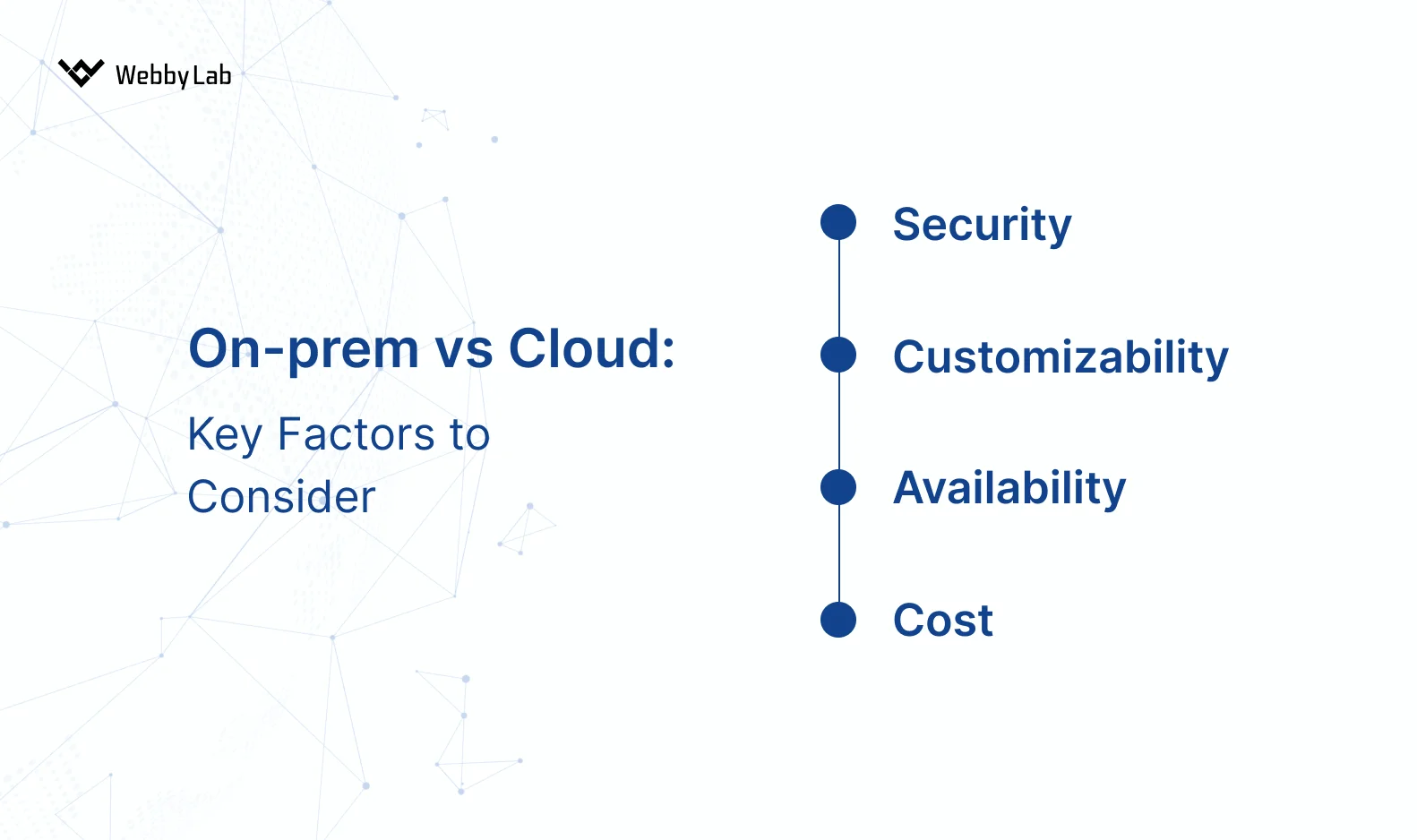
Factors to consider when choosing between cloud vs. on-prem AI
When to use cloud vs on premise? And which is better cloud or on premise? The truth is, there’s no universal answer. But here are several considerations:
- How sensitive is your data?
Extremely sensitive, regulated → On-premises
Moderately or low sensitive → Cloud
(And yes, what is more secure cloud or on premise: on-prem wins in isolation, but cloud boasts mature security tooling.)
- What are your compliance obligations?
Strict data residency, industry frameworks (GDPR, HIPAA) → On-premises
Lighter compliance environments → Cloud
- Is real-time performance critical?
Yes → On-premises
No → Cloud
- What’s your preferred cost structure?
CAPEX → On-premises
OPEX → Cloud
- Do you have in-house DevOps/AI expertise?
Yes → On-premises
No → Cloud
Exploring your next step, whether AI cloud vs on premise? Choose a suitable architecture with WebbyLab’s custom AI development services
Explore our servicesFinal Thoughts
Choosing between on premise vs cloud architecture comes down to your compliance requirements, workloads, and long-term cost strategy.
In our projects, we use a cloud-first approach whenever regulations allow it. This approach is best, but only when paired with the right safeguards. That’s why we always implement strict token-usage controls: round limits for LLM-to-MCP communication, max_token caps, and internal usage tiers. We also review budgets, set alerts, and validate thresholds to avoid cost spikes.
On-premise becomes a strong option once a product is stable, workloads are predictable, and long-term cost optimization is a priority. In those cases, we evaluate hybrid or fully on-premise models to reduce expenses while preserving performance.


Written by:

Dmytro Pustovit
Software Developer
I am a software developer with many years of hands-on experience in designing, building, and maintaining complex software systems. I enjoy solving challenging problems and turning abstract ideas into practical, reliable solutions. Throughout my career, I have worked with a wide range of tools, frameworks, and development methodologies, which allows me to adapt quickly to new technologies. I place strong emphasis on application security, clean architecture, and writing high-quality, maintainable code. Whenever possible, I strive to find simple and elegant solutions to even the most complex challenges.