
Practical Guide to Creating an AI Assistant for Business Systems
Discover the practical approaches to creating an AI assistant for business systems, from choosing usage scenarios and data quality to building an architecture based on MCP.
AI assistant integration in enterprise systems is no easy task, which involves selecting suitable use cases, connecting with existing business tools, and using MCP as the bridge between them. This setup makes modern AI assistants more than demo chatbots. Instead, it turns them into LLM-powered agents that follow real workflows, call APIs, and deliver measurable business outcomes.
Think of an AI assistant as giving your business systems a conversational interface. By simply asking, “Show me last month’s sales by region,” or “Create a new lead in the CRM,” the assistant executes your request and returns the result in a simple, readable format. You can use it for almost anything: CRM automation, ERP tasks, reporting, or customer support.
In this guide, you’ll learn about WebbyLab’s approach to AI assistant development and see how our method helps build secure, scalable, and easy-to-manage assistants. You’ll also discover how to avoid common mistakes when working with LLMs.

An AI-based market access planning tool for healthcare companies built by WebbyLab.
Highlights:
- Modern AI assistants are business-centered agents, not mere chatbots.
- Clear use cases, clean APIs, and MCP integration form a solid foundation for AI assistants.
- Data quality, LLM selection, security, testing, validation, and performance monitoring ensure reliable AI assistant deployment strategies.
Thinking of integrating an AI assistant into your business processes? Consult with WebbyLab experts.
What Are the Core Functions of an AI Assistant?
AI assistant capabilities go far beyond basic chatbots that provide generic answers to your questions. These solutions truly integrate with your workflows and execute tasks throughout multiple systems. Core functions include:
- Real-time analytics
- Workflow automation
- API integration
- Contextual decision-making
And, in fact, in business-ready AI assistants, data access and context matter a lot. Without access to business data, an assistant can only make superficial guesses. With proper data connections and permissions, it can reason about situations and choose the right action.
Thanks to the functions above, LLM-based business agents are often used as customer support bots, internal assistants, report generators, and dev tools.
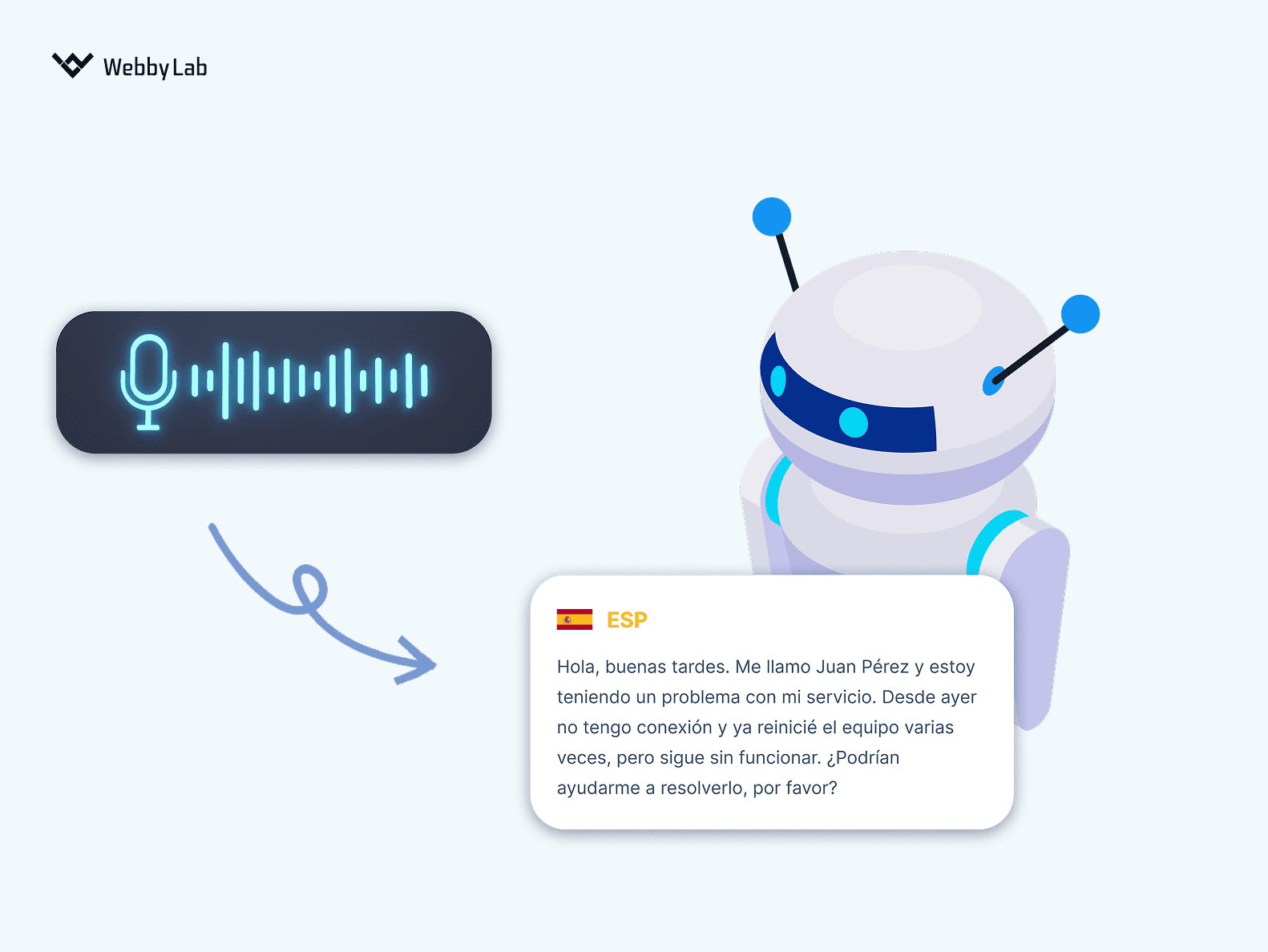
AI solution capable of speech recognition and diarization, built by WebbyLab.

How to Build an AI Assistant: Core Architecture
Designing an AI assistant architecture starts long before you connect an LLM. It begins with the following three steps:
Step 1: Define the Use Case and Business Logic
Before launching an AI agent, you need absolute clarity on what it should do. Today’s assistants are full-fledged interfaces that create orders, generate reports, update customer data, manage user settings, and connect to external tools (ERP, CRM, loyalty systems, accounting, or payment services). You also need to define how users will interact with it, whether through chat, voice, mobile app, web interface, or API. A clear use-case definition ensures your assistant becomes a real tool for system users, not just a demo.
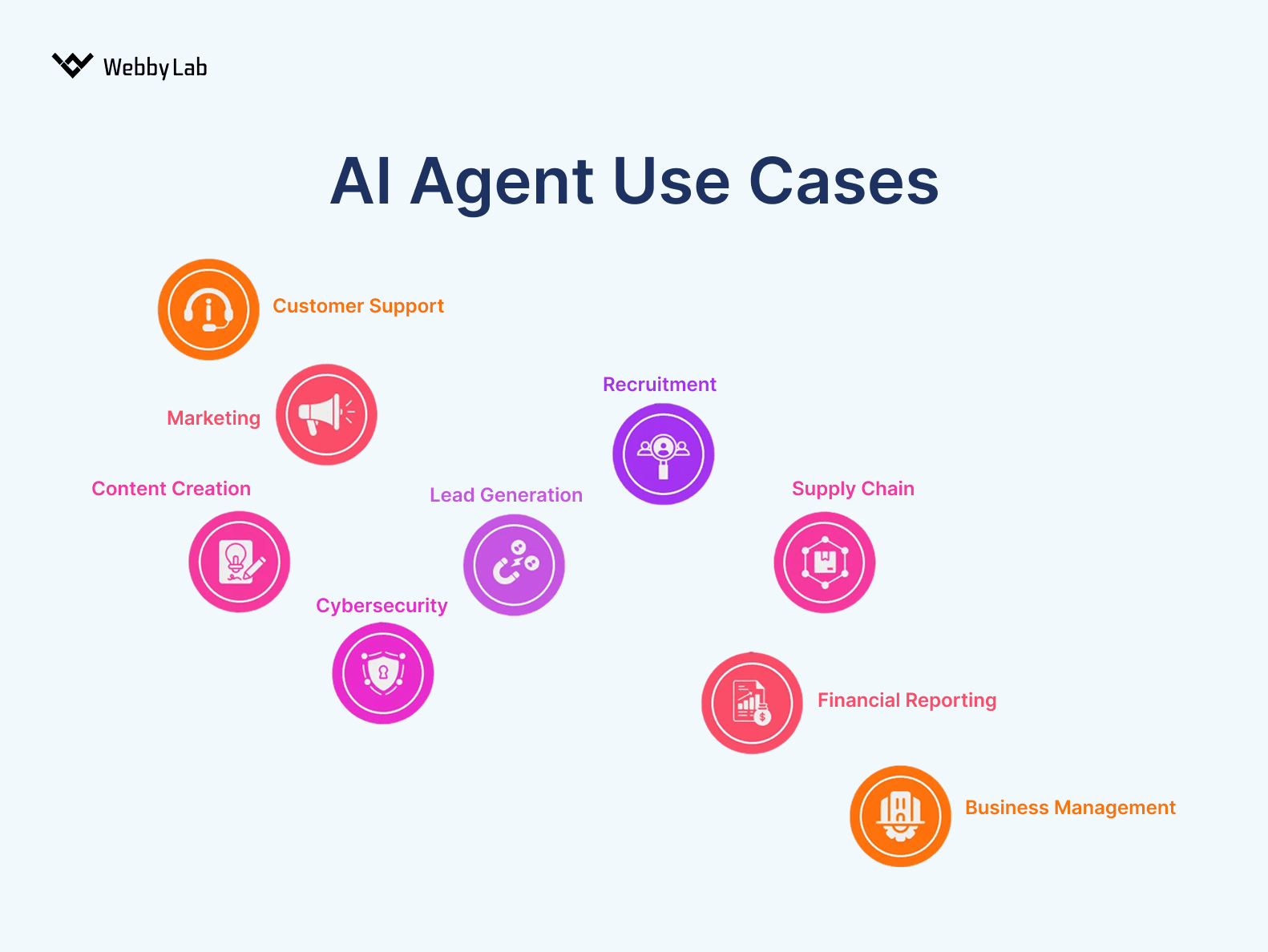
Common AI assistant use cases.
Step 2: Connect Your System Through an API
Strong API design is essential for reliable LLM integration. Review your API thoroughly before exposing it to an AI assistant. Key points include:
- If there’s no documentation or it’s irrelevant, you’ll have to write it.
- Normalize data flows (e.g., pagination should be the same for different endpoints).
- Standardize date formats. If half your system includes the selected date in a filter range and half doesn’t, the AI will be confused.
- Unify error handling and status codes. LLMs struggle when endpoints behave differently.
In our project, we relied on an OpenAPI v3 specification to describe the production REST API.
Step 3: Use MCP as a Universal Bridge
Once the API is ready, create your own MCP server. This gives you a fast path to an MVP without building a custom assistant from scratch. MCP provides a standardized way to expose your system’s capabilities to any AI platform.
During the discovery stage, we tested all assumptions directly through the Claude desktop client using MCP. Later, we integrated the same MCP server into our own assistant.
Interested in our other projects? Check out our healthcare market‑access AI tool case study.
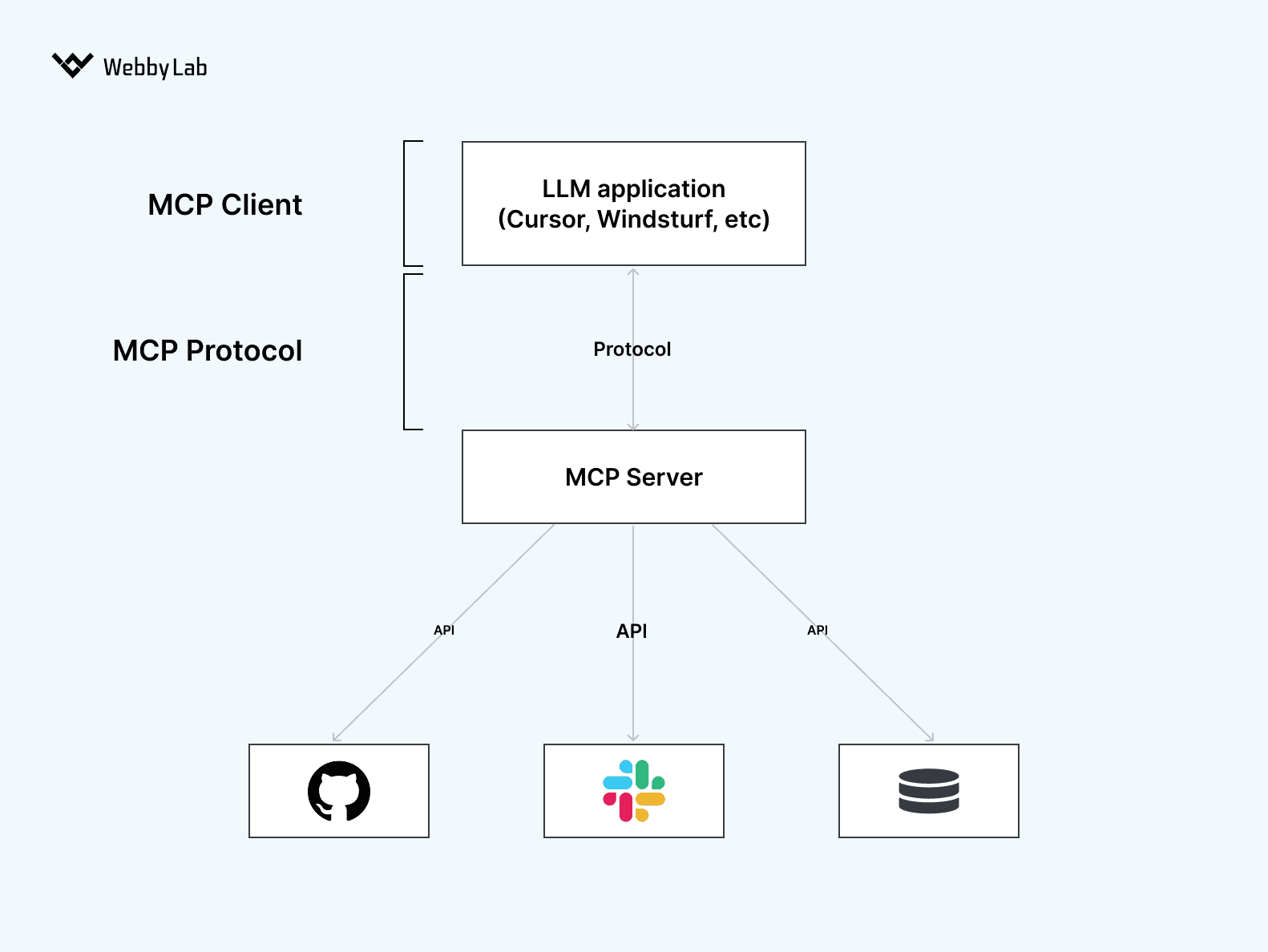
The LLM + MCP + API architecture.
Data, Model, and Security Considerations
Besides API configuration and MCP server architecture for AI assistants, there are several more things to consider. Those include AI data quality, LLM model selection, and security. Let’s get each of these straight.
Data Quality and Compliance
High-quality data is the backbone of any assistant. To understand real patterns, the model needs access to actual datasets. Otherwise, you’ll never see the true capabilities of the system. At the same time, real data must be anonymized to stay in GDPR compliance.
When providing our custom AI development services, we created an AI-driven recommendation engine that initially produced shallow results because training data lacked real signals. After securely migrating depersonalized production data to the test environment, the recommendations finally behaved as expected.
LLM Selection
Model choice directly impacts cost, accuracy, and performance. If your assistant will support thousands of users, even small miscalculations can lead to big bills.
We tested six different models before settling on the best price-quality balance. Key parameters we evaluated before implementing NLP in AI assistants included latency, tool-use capabilities, and context window size.
Besides evaluating models, you also need to decide on deployment: cloud or onpremise. We selected AWS Bedrock to stay with our client’s preferred vendor.
Security and Validation
Secure AI assistant design is a way to protect your systems and users. In particular, you can ensure LLM security by:
- Validating every request generated by the model just like a real user action. Don’t rely on prompts alone. LLMs can still perform harmful actions despite written restrictions. We validate all capabilities through Zod Schema Validation.
- Using the user’s access permissions for the requests they generate through the assistant. Providing an AI assistant with full access to data will certainly lead to privilege escalation and leaks.
- Implementing GDPR, HIPAA, and other data privacy policies into your AI assistant, if required by your system.
- Allowlisting tools, meaning that system capabilities should be dynamically limited based on the user’s role, the location of the assistant call, and other factors.
- Ensuring prompt injection prevention. Although it’s a newer threat, standards are emerging. We use input sanitization, context isolation, and LLM response validation, supported by runtime monitoring and alerting for anomalies.
Looking to secure your AI assistant? WebbyLab can help you design safe, compliant AI solutions.
Get a consultationTesting, Deployment, and Continuous Improvement
Once you have a strong MCP server architecture for AI assistants and high-quality data, conduct testing and a rollout. Here’s how to handle it.
Testing: Sandbox, Pilot, Full Rollout
Start in a controlled sandbox. This is where you validate core abilities, experiment, and test how the assistant interacts with APIs. This phase is essential for testing AI assistants with real data.
Next is a pilot with a limited user group. This helps you see how real people use your assistant and highlights issues you’d never catch in isolation.
Finally, move to a full rollout, only after the assistant performs reliably under real workloads.
Performance Monitoring and Tracing
Monitoring and tracing AI agent behavior is critical. Log every LLM action, track prompt patterns, measure response times, and monitor user behavior. Evaluate accuracy by checking task completion rate and adherence to specific rules. Collect data like request count, average dialogue length, and cost per interaction.
We use AWS CloudWatch to analyze system behavior, but you can also use specialized frameworks such as LangSmith or OpenAI Evals for deeper tracing and evaluation.
Continuous Updates and Learning Loops
Smooth AI assistant deployment is one thing. Regular updates are another way. As you gather real user data, integrate improvements through CI/CD AI workflows. Update prompts, refine tools, optimize model usage, and patch new edge cases.
When Does Building Your Own AI Assistant Make Business Sense?
Not every company needs to build its own assistant. Sometimes, one of the following alternatives may be enough:
- Managed AI platforms. Offer ready-made infrastructure for creating assistants. But you’re locked into one vendor, with limited control over how actions are executed.
- Direct LLM integration. The assistant communicates directly with a model API, and all business logic is implemented inside the prompts.
- RAG-based assistants. The assistant searches for information in corporate data and uses it in queries.
When to go for a custom AI business strategy? Short answer: if you’re looking for these AI assistant benefits:
- Vendor independence. Switch between OpenAI, Anthropic, Mistral, or local models without changing your business logic.
- Deep system integration. MCP serves as a universal API gateway that connects AI applications to external tools, services, and databases.
Still unsure if an AI assistant fits your business? Schedule a call with WebbyLab experts.
Contact usConclusion
A well-designed AI assistant becomes an extension of your business systems: secure, scalable, and capable of real work. With clear use cases (be it AI‑powered speech recognition in customer service or report generation), strong architecture, and continuous improvement, you get a real helper in everyday tasks.


Written by:

Dmytro Pustovit
Software Developer
I am a software developer with many years of hands-on experience in designing, building, and maintaining complex software systems. I enjoy solving challenging problems and turning abstract ideas into practical, reliable solutions. Throughout my career, I have worked with a wide range of tools, frameworks, and development methodologies, which allows me to adapt quickly to new technologies. I place strong emphasis on application security, clean architecture, and writing high-quality, maintainable code. Whenever possible, I strive to find simple and elegant solutions to even the most complex challenges.